Skip to content

Home / Computing / Workloads

Workloads

Your workload sets the direction.

Inference, training, rendering or simulation: each asks something different of the system. We shape the configuration around your software, data and timing.

APPLICATION / 01
MAINTENANCE01 / 01

Inspection
record.

Example source document

The intake filter was replaced during the scheduled visit.

The airflow inspection is complete. A follow-up inspection is planned.

Inspection notes
Summarize the maintenance notes
SUMMARY

Filter replaced.
Airflow inspected.
Follow-up planned.

Based on the source document
DOCUMENT SUMMARIZATION

Turn source material into a useful answer.

Scripted example · not a live model

AI inference

Serve the model.
Meet the response time.

Model memory is only the starting point. Context length, concurrency, precision and latency targets shape how many GPUs the service needs.

Share the model, requests per second, context length and latency target.
APPLICATION / 02
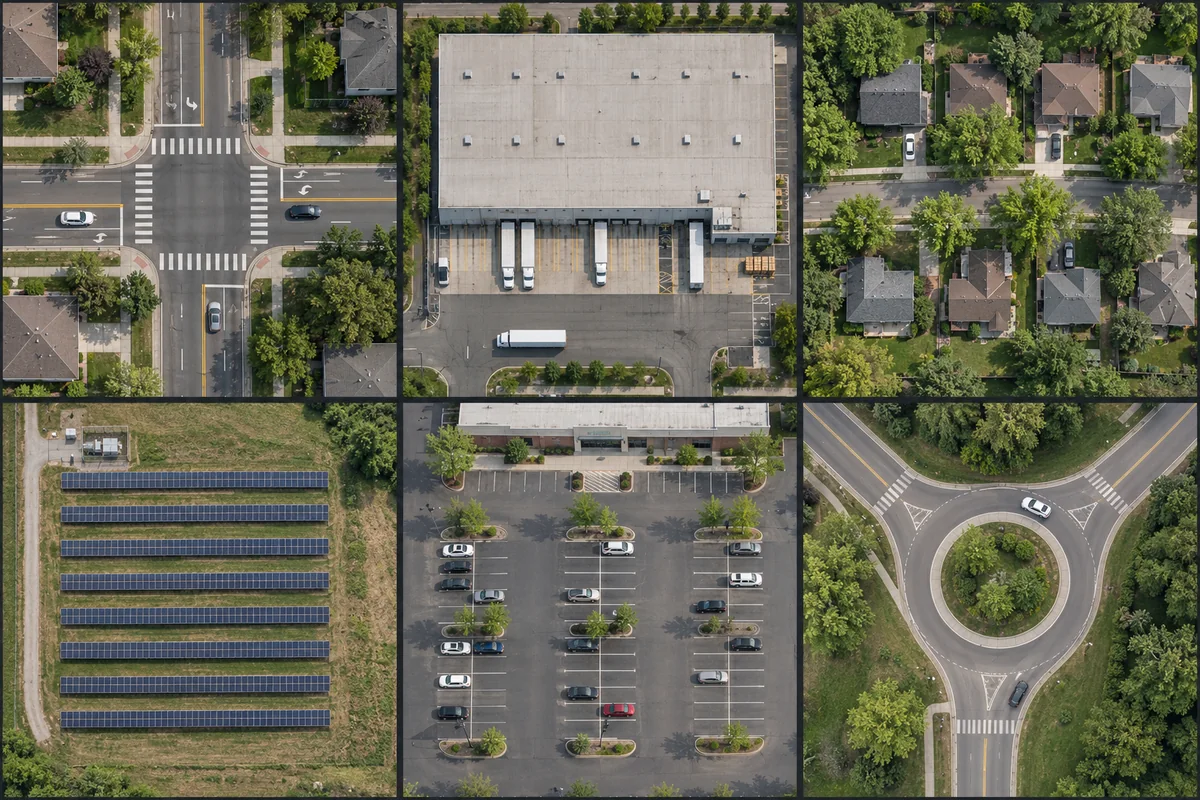
Six generated aerial scenes used as an illustrative computer-vision image set: a junction, warehouse, housing, solar array, parking area and roundabout.
COMPUTER VISION

Examples give a model something to learn from.

Computer-vision sample set

Training & fine-tuning

From adapting a model
to distributed training.

Fine-tuning and full training have different memory, networking and storage needs. When work spans servers, the fabric and checkpoint performance become part of the specification.

Share the framework, model, training method, dataset and completion window.

APPLICATION / 03
Generated architectural visualization of a stone courtyard, timber soffit, glazed gallery and tree in warm daylight.
GEOMETRYMATERIALSLIGHT
ARCHITECTURAL VISUALIZATION

A scene, brought into focus.

Architectural visualization

Rendering & visualization

More frames.
Your existing workflow.

RTX PRO systems support rendering and visualization workloads that use compatible GPU software. Independent jobs can be distributed across servers without making every server part of one tightly coupled cluster.

Share the rendering software, representative scene, job size and deadline.

APPLICATION / 04
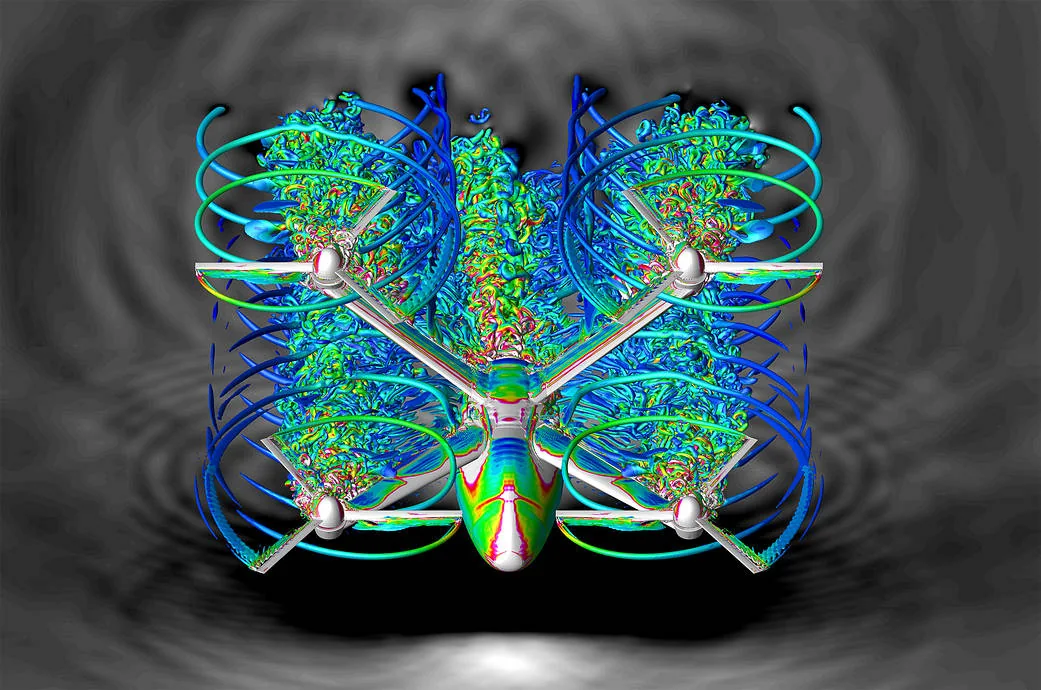
NASA computational fluid dynamics visualization of airflow around a six-passenger quadcopter concept. Colored flow structures surround its four rotors.
COMPUTATIONAL FLUID DYNAMICS

See how a design interacts with the air.

NASA / Patricia Ventura Diaz External research example · no affiliation or endorsement

Simulation & data processing

Computing matched
to the application.

Scientific and engineering applications vary in GPU support, precision, memory and communication needs. The right server depends on how your application actually runs.

Share the application, CPU/GPU support, dataset, precision and typical job.

CUDA & ROCm

Your software has a say.

Many frameworks support both NVIDIA and AMD. Custom CUDA code, specialist libraries and application support can change the choice.

Tell us which frameworks and dependencies you use. Any compatibility testing or migration work is agreed separately.

Compare GPU servers

Your AI deployment brief

The model is only the beginning.

A model family starts the conversation. A specific version and a representative workload let us assess the complete configuration.

Model & softwareExact version or model card, precision, framework and any CUDA or ROCm dependencies.
Workload & scaleFor inference: context and traffic. For fine-tuning or training: dataset, method and completion window.
Service & acceptanceYour team’s operating responsibilities, support requirements and representative test for handover.

GPU memory is one part of the fit. Networking, runtime support and measured workload behaviour matter too.

Discuss your AI workload

Performance that matters

Performance your workload can use.

Use a representative workload to define acceptance, alongside the hardware and infrastructure checks.

Compare what to measure for each workload
WorkloadWhat to measureWhat to bring
InferenceResponse latency, throughput and concurrent requests at the required model quality.Model, precision, context length and a representative request mix.
Training and fine-tuningStep time, scaling across nodes and checkpoint performance.Framework, model, dataset and training method.
RenderingTime per frame, completed jobs and output correctness.A representative scene, renderer, settings and software licences.
Simulation and data processingTime to solution, numerical accuracy and data movement.Application, precision, input data and a representative job.

The benchmark, test conditions and pass criteria are agreed before acceptance. Hardware specifications alone are not a workload-performance guarantee.

Tell us what you need to run.

A short outline is enough. Tell us what you want to run and when; we’ll work through the configuration together.

Request a proposal